Catalyst SD-Routing Overview
Cisco SD-Routing enables Cisco routing devices to be managed through Cisco Catalyst SD-WAN Manager.
SD-Routing brings operational simplicity and agility to traditional routing deployments by avoiding truck rolls for routine operational tasks. It also reduces OpEx by leveraging Catalyst SD-WAN Manager as the unified management platform for Catalyst SD-WAN as well as routing deployments.
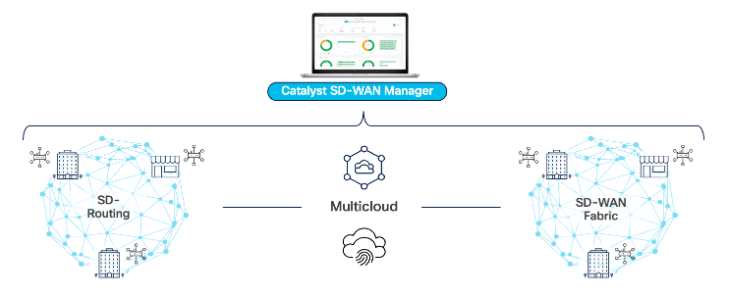
Review the Toronto Device Config and Status
Begin by navigating in the Cisco Catalyst SD-WAN Manager to Configuration > Configuration Groups.
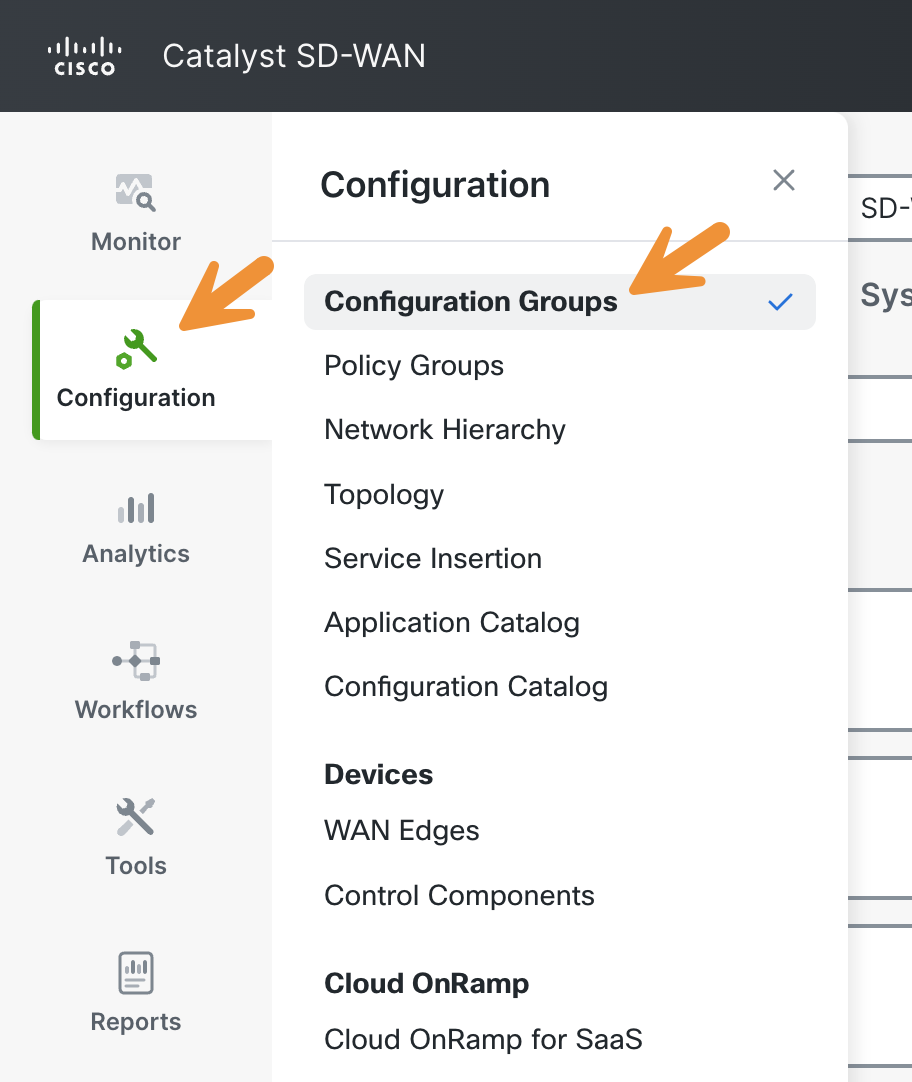
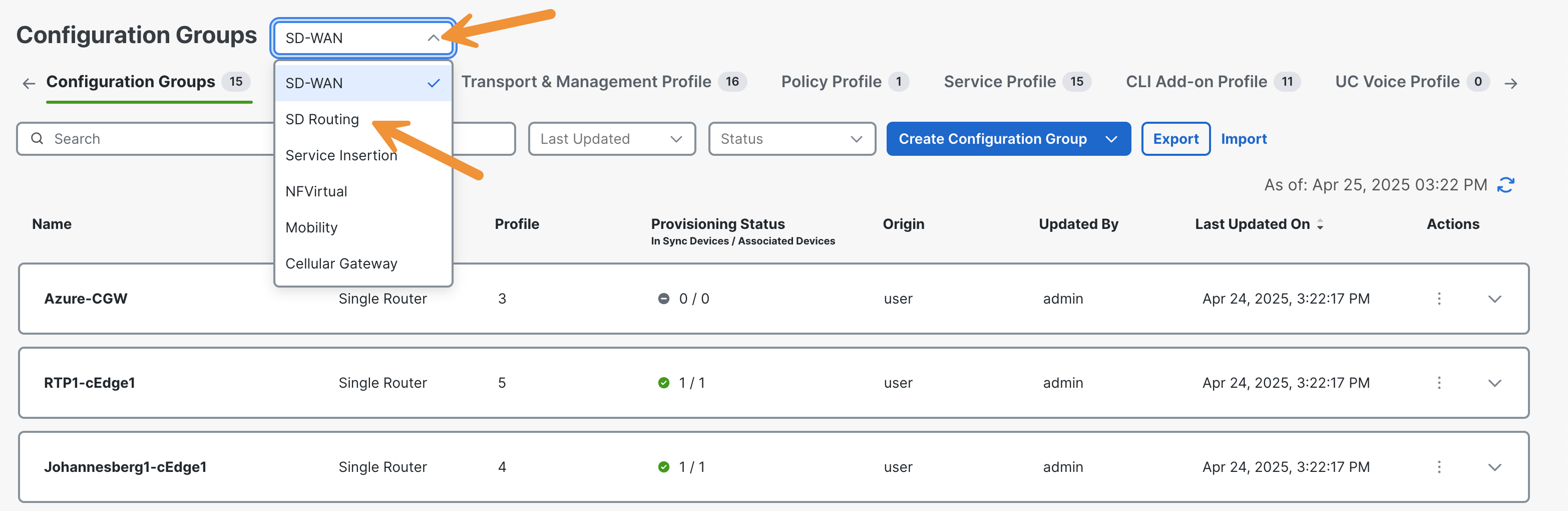
Now click on the menu at the top and select SD-Routing.
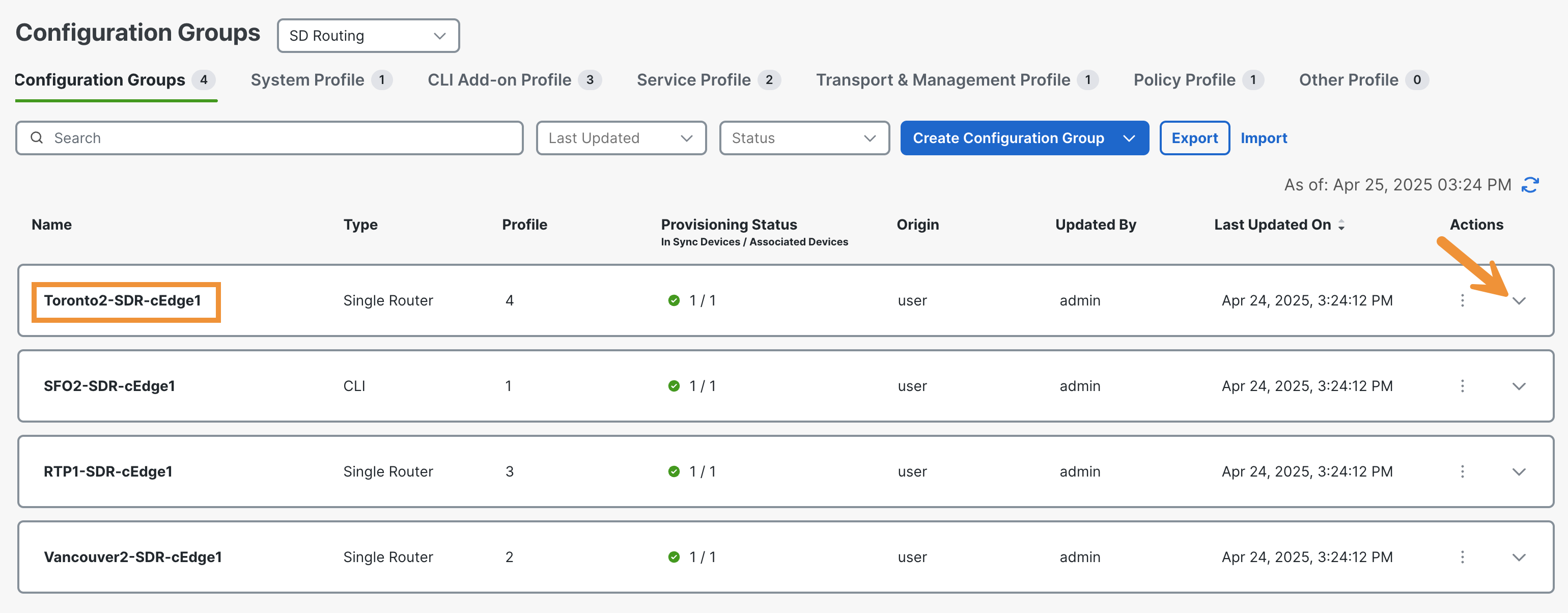
Please locate the Configuration Group labeled Toronto2-SDR-cEdge1 and click on it to expand.
On the resulting page, you can view the Feature Profiles that make up this Configuration Group.
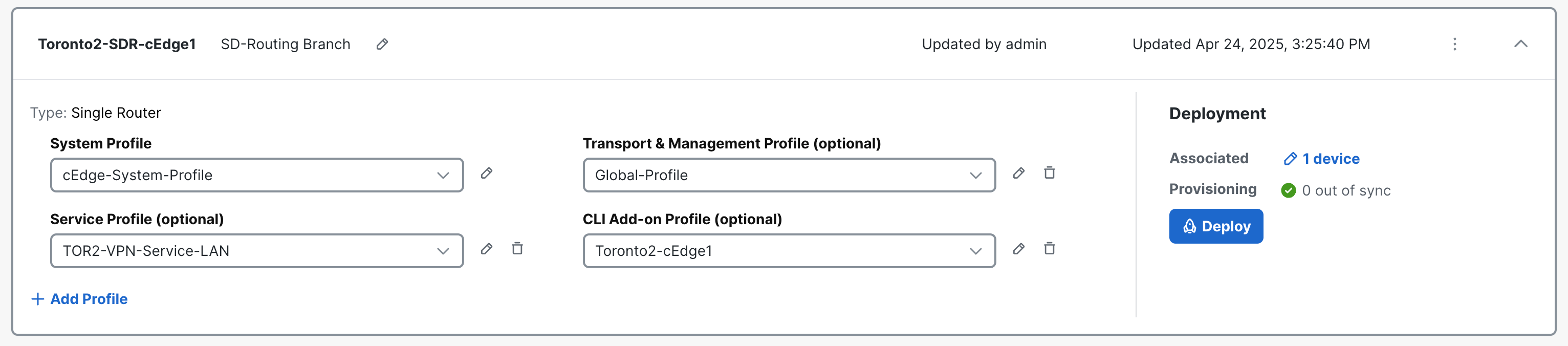
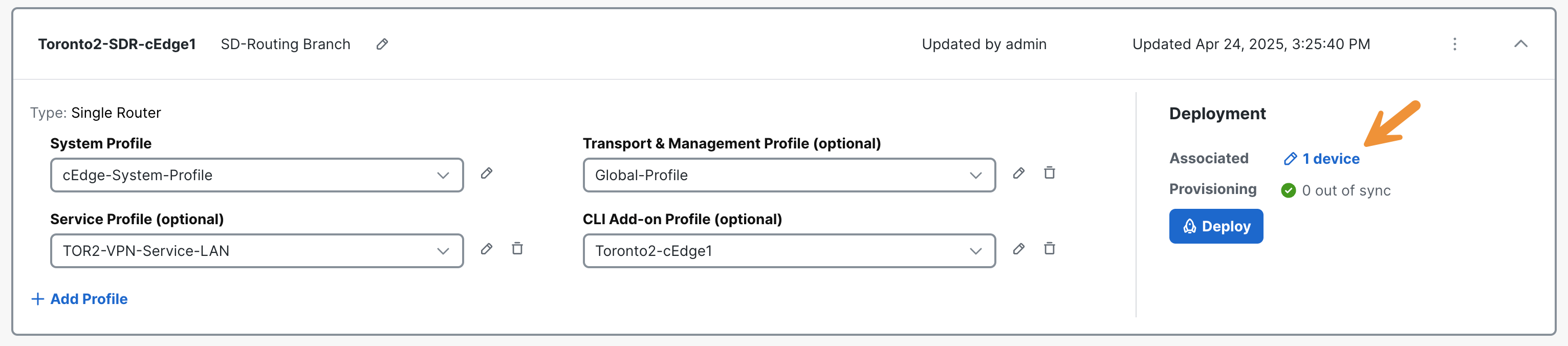
Click on the device under Deployment to review the one associated with this configuration group.
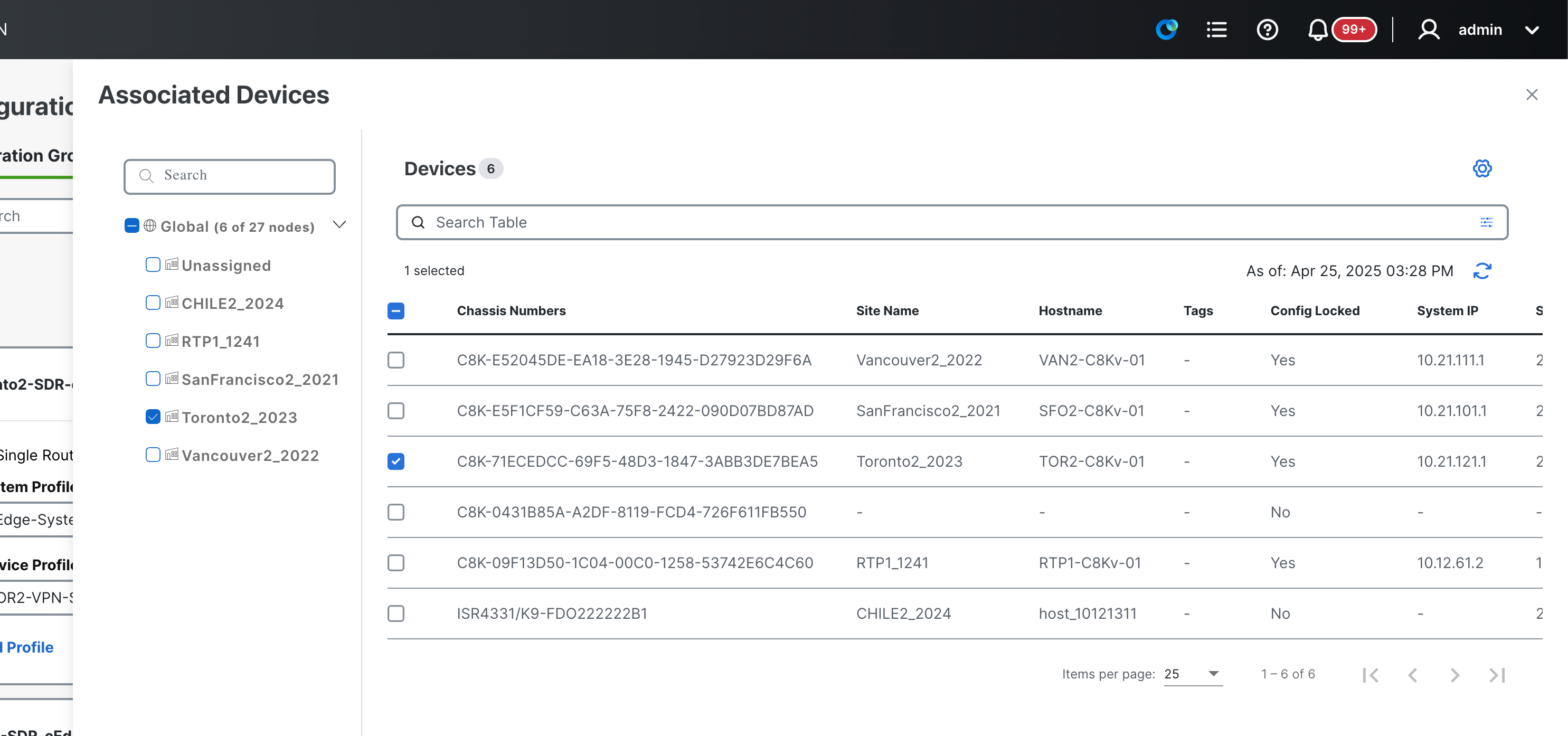
Click Cancel.
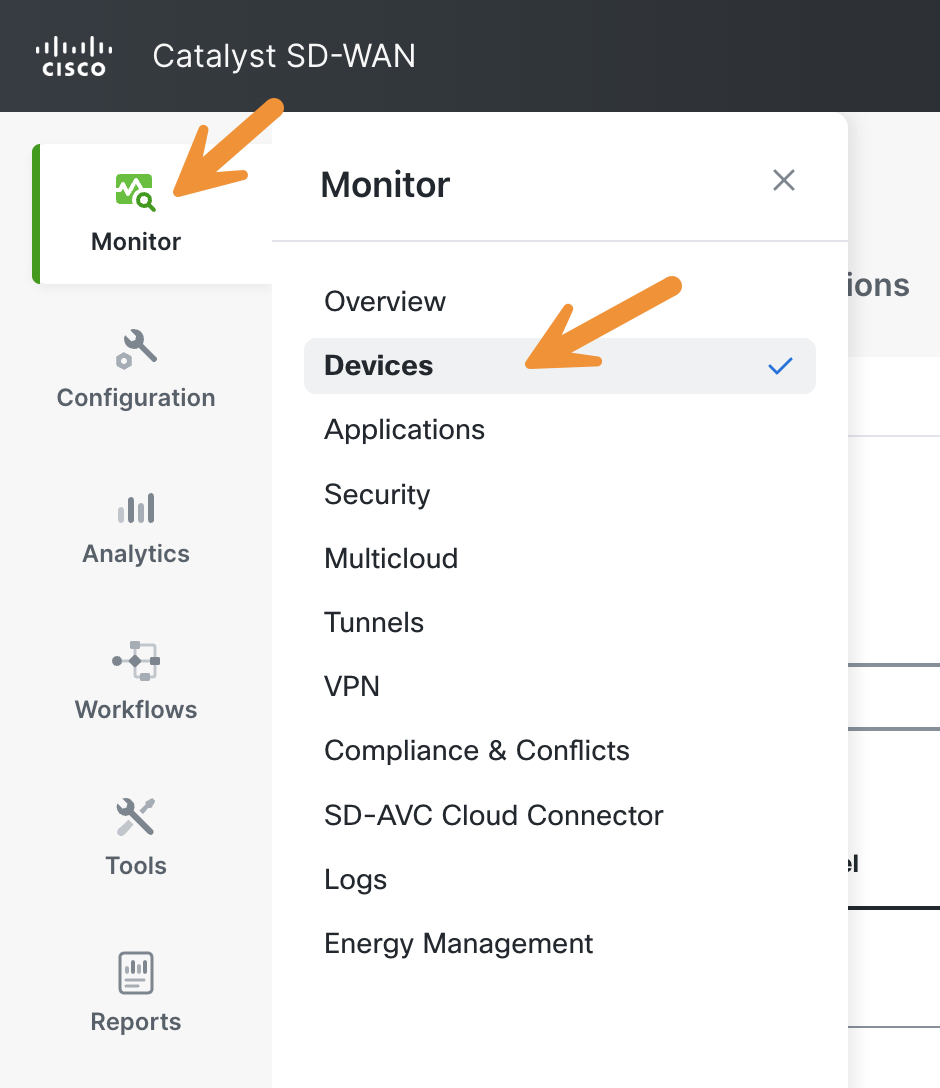
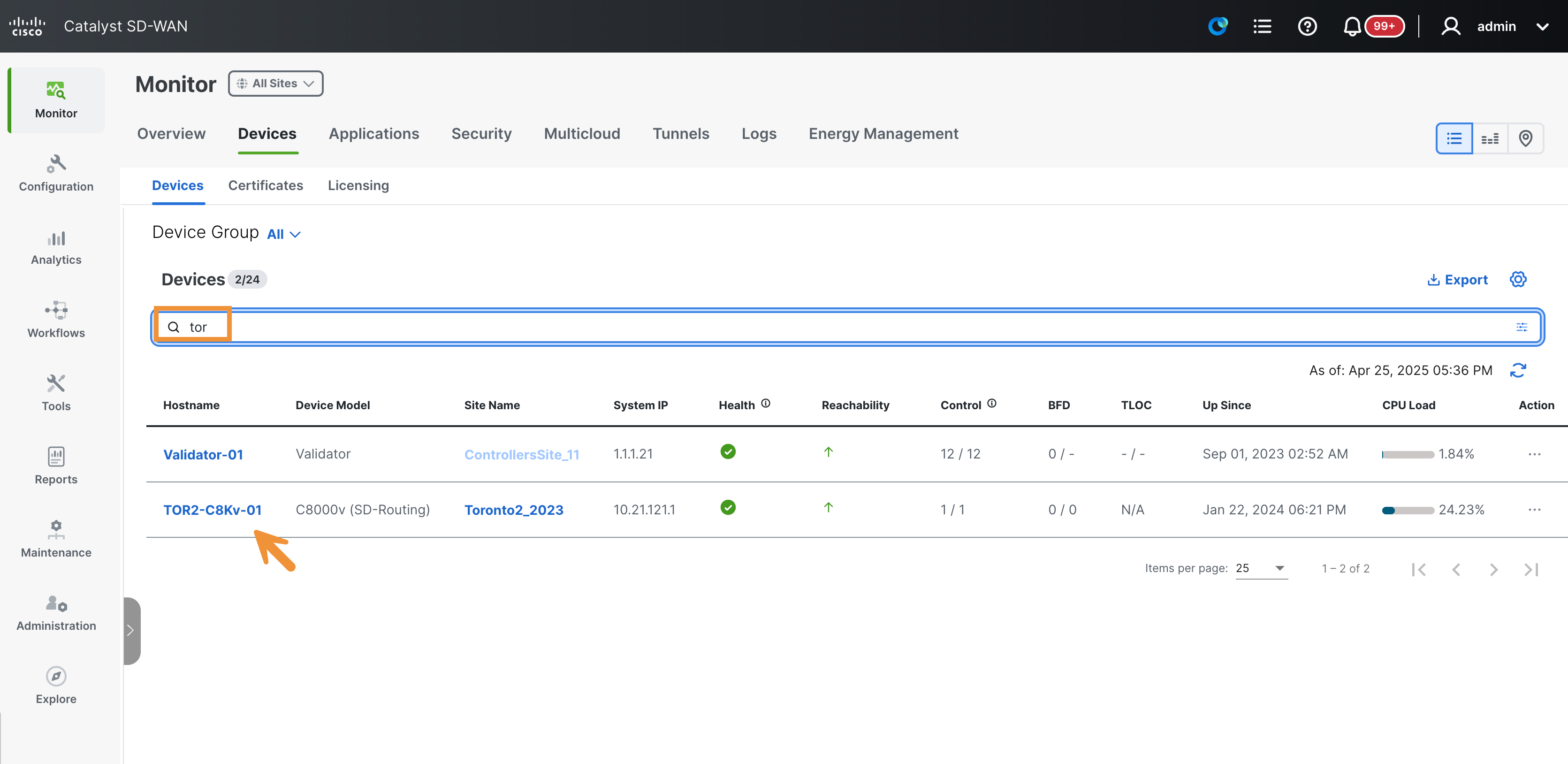
Navigate to Monitor > Devices in the SD-WAN Manager.
Click on the TOR2-C8Kv-01 hostname highlighted in blue. Note that it displays C8000v (SD-Routing) as the device model.
Please click on Control Connections in the left-hand list to view the DTLS connection to the Cisco Catalyst SD-WAN Manager (vManage) and its current status.
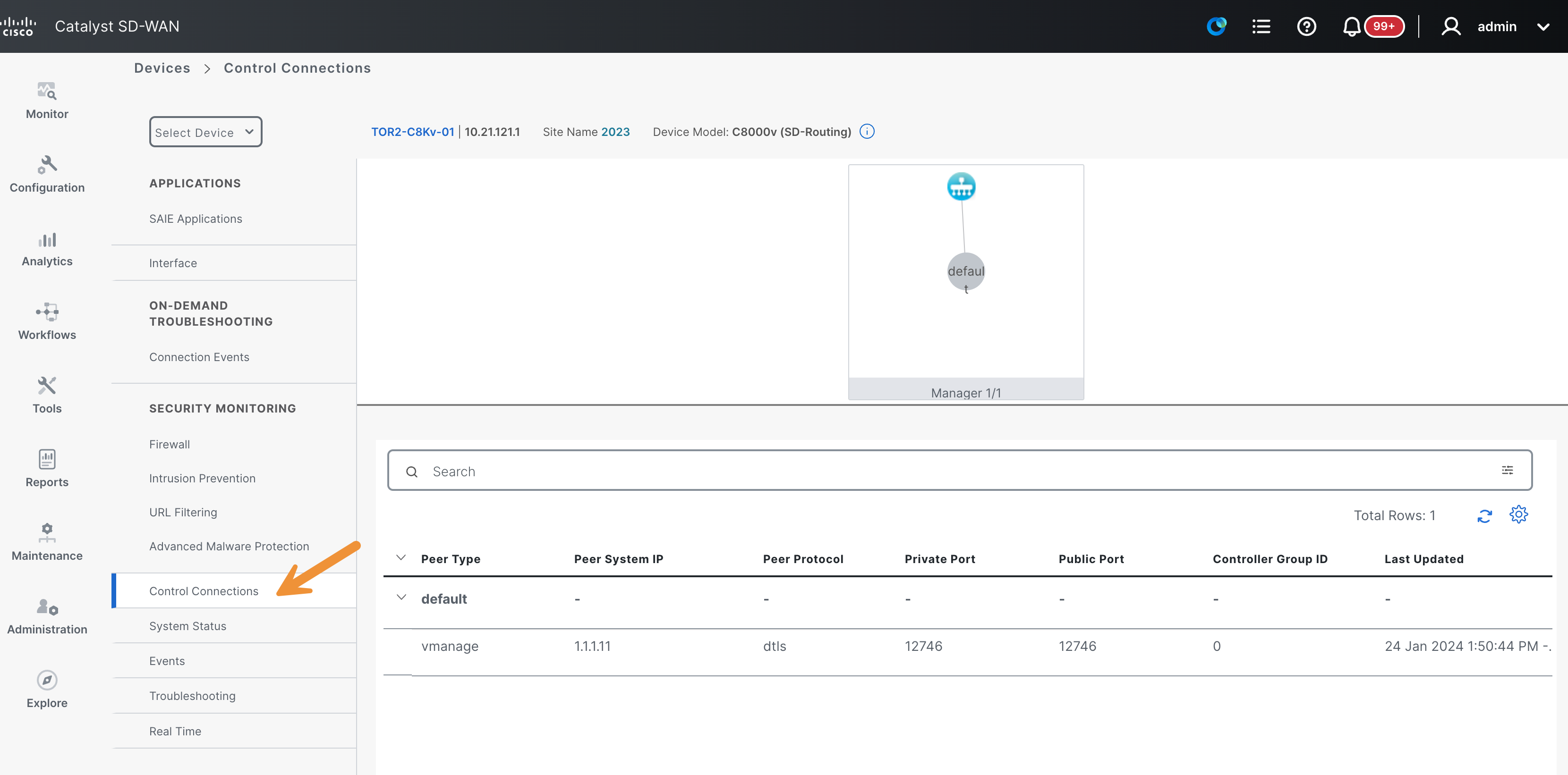
As the router is in SD-Routing mode, there are no Control Connections established with the Controllers (vSmarts).